MAXXEON WorkStar® 2000 and 2040 FAQ

Q. How long is the warranty and what does it cover?
A. The WorkStar® 2000/2040 warranty is one year from the date of purchase. The warranty covers manufacturing defects. It does not cover the rechargeable batteries or "wear and tear". For warranty issues see Shipping & Returns Policy.

Q. Is the glass lens covered under the one year warranty?
A. No, the glass lens is not covered under the one year warranty. The glass lens is tempered glass, so it is scratch resistant and very durable, but it will crack or break given enough force. Replacement glass lens will be available for purchase from Maxxeon and they can be installed by the user. Buy Parts Online from MAXXEON

Q. Can I adjust the tension of the tilt action of the head?
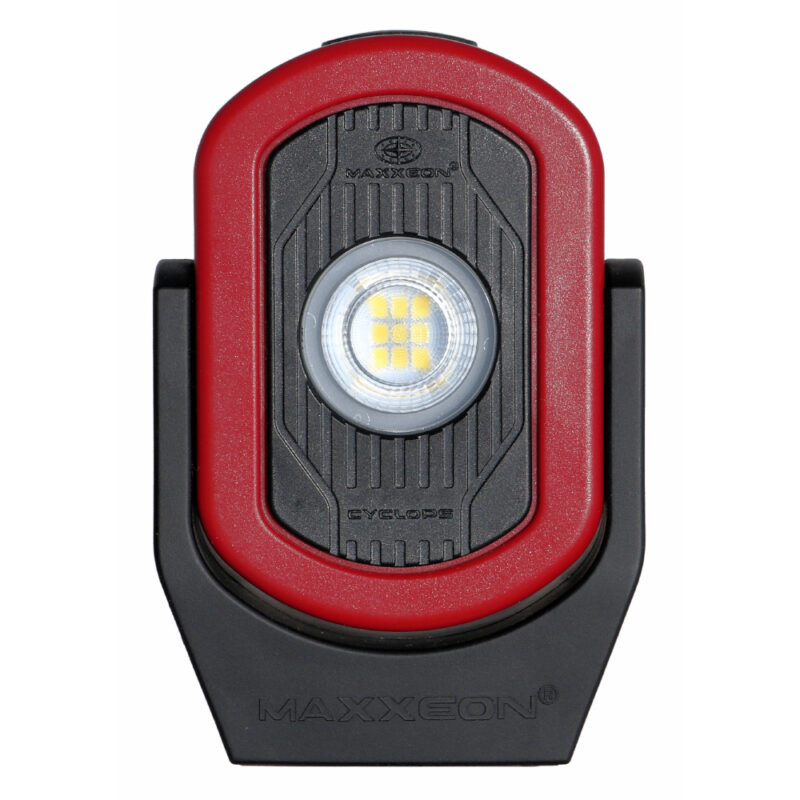
A. No, you can't adjust the tension. This should not be an issue for models with a white ring around the LED. For models with a black ring around the LED, there is a user-installable fix if the head flops and won't stay in position any more. Send an email to customerservice@maxxeon.com and request the "WS2000 rubber washer". We will mail the rubber washer to you.

NOTE: There is a mistake in the early versions of the instructions, which says that you can adjust the tension of the head by tightening the bolt. This does not work. If you tighten the bolt, the head of the bolt will eventually break the plastic.

How to install the rubber washer
1. Unscrew the 2 screws and 1 bolt in the head assembly.
2. Gently pull the head apart just enough so that the black pin, on the screw hole side of the head, just slides out of the red neck. WARNING: Do not separate the head pieces, as they are very difficult to get back together.
3. Slip the rubber washer over the black pin.
4. Press the two halves of the head back together.
5. Insert the 2 screws and tighten. Insert the bolt and tighten until it is snug. Do not over tighten.

Q. Can I adjust the tension of the retractable hook?
A. Yes. With the black side of the body facing down, remove the 3 Philips screws from the red battery cover and slide the red battery cover straight up. Do not touch the printed circuit board (PCB) and do not damage the electronics with static electricity. The battery pack will be attracted to the bottom magnet, so reach in and hold the battery pack until the red battery cover is free. Adjust the Philips screw holding the hook's bracket to the desired tension. Align the slots inside the red battery cover to the edges of the PCB and carefully slide the cover back on, paying particular attention the neck area. There must not be any gaps between the red battery cover and the black body. Install the 3 Philips screws.

Q. When should I charge the WorkStar® 2000/2040?
A. Recharge at any time. Full discharge is not necessary. To maximize the battery life, do not use or charge the batteries when they are hot, specifically, let the batteries cool down for about 20 minutes before a) recharging, if the light has been used in the HI setting, and b) turning the light ON after recharging.

Q. Can I leave the WorkStar® 2000/2040 on charge indefinitely?
A. Yes. The charger turns off when the charging cycle is complete. It does not "trickle charge" the batteries.

Q. Will the WorkStar® 2000/20400 turn ON while plugged into the power supply?
A. No.

Q. How many times can I recharge the WorkStar® 2000/2040 batteries before they need to be replaced?
A. The batteries may start to lose capacity after about 800 full charge/discharge cycles.

Q. Can I buy replacement batteries?
A. Yes, Maxxeon will be selling replacement battery packs. Replacement battery packs will be available from Maxxeon and they can be installed by the user. Buy Parts Online from MAXXEON

Q. Does the WorkStar® 2000/2040's power supply on 220 volts?
A. Yes, the power supply works from 100 to 240 VAC and with both 50 and 60 Hz. However, the power supply only has a standard "Type A", two prong plug, so you will need a plug adapter for other pin configurations.

Q. Will the Cree® LED break or wear out?
A. The LED (light emitting diode) is a solid state device that does not "burn out", however, LEDs do dim as they age. If left on continuously, this LED will start to dim after 10 years. The LED will not break in normal use, but it will stop working if immersed in fluids.

Q. How tough is the WorkStar® 2000/2040?
A. The industry standard ABS/Polycarbonate plastics are very tough and resilient. The Polycarbonate makes the plastics more flexible and improves the resistance to breaking and cracking. The WorkStar® 2000/2040 will survive multiple six foot drops onto a concrete floor. The WorkStar® 2040 has a faux carbon fiber covering and is finished with a durable clear coating. Note: This is a decorative coating and therefore it will damage more easily than the non-decorated WorkStar® 2000. Some chemicals used in automotive repair are solvents for plastics. Check the label of all cleaners and solvents to make sure they are safe with plastics.

Q. Is my WorkStar® 2000/2040 waterproof?
A. No, the WorkStar® 2000/2040is water resistant, but it should not be immersed in liquids.

Q. Can my WorkStar® 2000/2040 be used in hazardous environments?
A. No, the WorkStar® 2000/2040 was not designed for hazardous environments.

To Contact MAXXEON:

Email: customerservice@maxxeon.com

Phone: (877) 621-0005 [Weekdays 9am to 6pm Eastern]
Fax:     (519) 620-2011

Maxxeon Customer Service
46 Clegg Street
Ottawa, ON
Canada K1S 0H8
             Maxxeon Repair Center
1066 Halsey Dr
Coupeville, WA 98239
USA